

Features
LLMs and media services
Learn how LLMs, image, video, voice, and audio services fit into Dexto Cloud.A model is the AI that reads a request and decides what to say or do next. If an agent is an AI teammate, the model is the part that does the thinking.
Service types
Section titled “Service types”There are different types of models:
- Language models, including GPT, Claude, Gemini, and Grok. Examples include GPT-5 Mini, Claude Sonnet 4.6, Gemini 3.5 Flash, Grok 4.5, and Composer 2.5.
- Image generation models, such as GPT Image, Nano Banana, and Grok Imagine Image.
- Video generation models, such as Gemini Omni Flash Preview and Grok Imagine Video.
- Audio generation models, such as GPT Audio, Gemini TTS, and Lyria.
Dexto supports 400+ models, 5 video generation models, 2 image generation models, and 3 audio generation models, all through a unified credit system.
LLMs and agents
Section titled “LLMs and agents”Language models are the brain of an agent. Think of agents as AI teammates, and models as the brain that powers them.
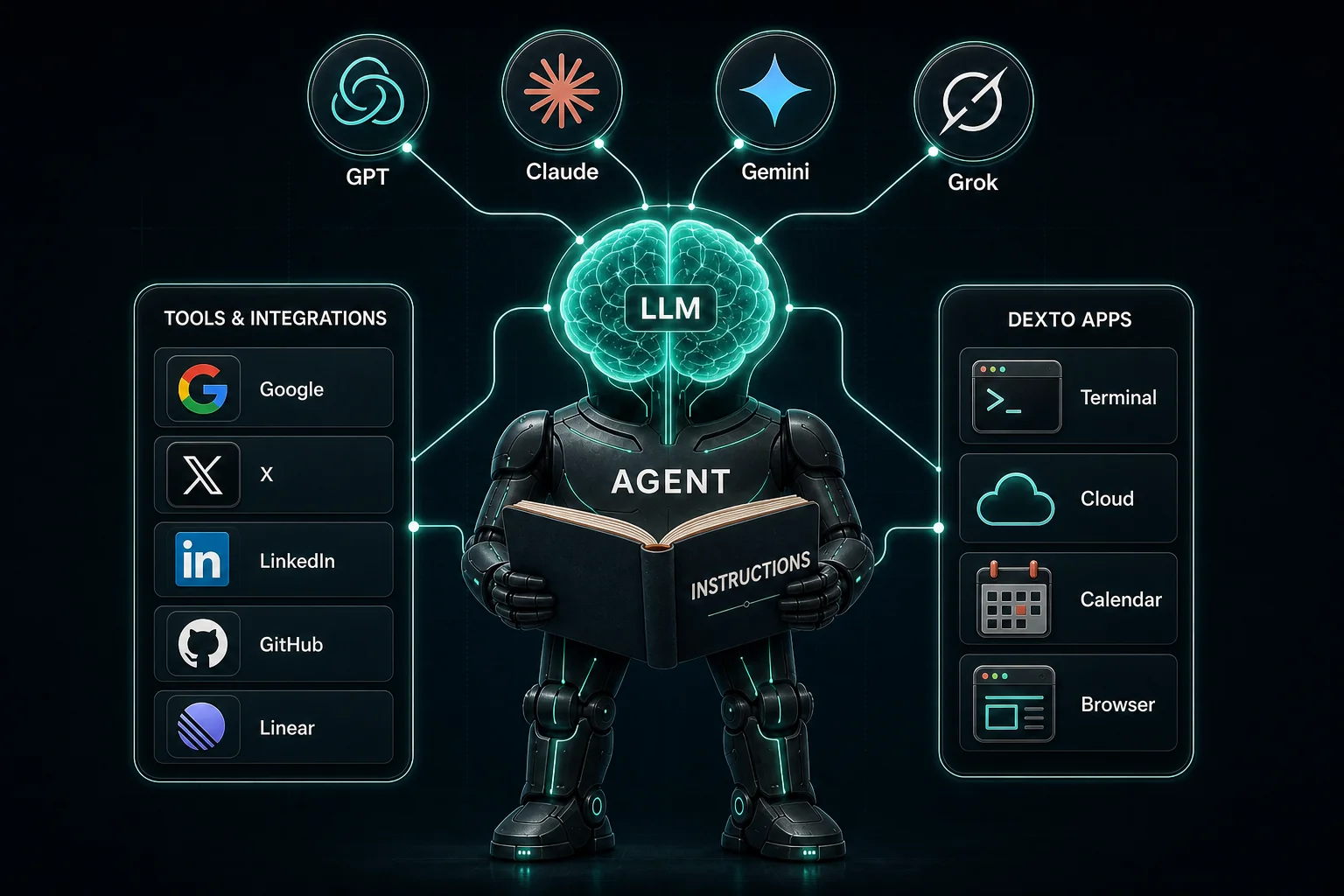
Dexto also uses media generation models to create images, videos, and audio.
Choosing an LLM
Section titled “Choosing an LLM”Different models balance speed, cost, and capability differently. Some can also understand images, PDFs, audio, or video. Start with Dexto’s default model unless you have a specific reason to change it.
Dexto’s model picker shows a condensed view of the models you can choose from.
Explore Services for available LLMs and media services, and read our blog about choosing a model.
Bring your own key (BYOK)
Section titled “Bring your own key (BYOK)”You can bring your existing AI subscriptions and API keys into Dexto, so you can reuse your existing credits.
Currently supported providers:
| Provider | Connection options |
|---|---|
| OpenAI | API key or ChatGPT Login |
| Anthropic | API key |
Add or manage your connections in Model settings.
Continue imported chats on their model
Section titled “Continue imported chats on their model”A chat you import from Codex or Claude Code keeps which model answered each turn. Open an answer’s More menu to see its model and reasoning level. When you continue the chat in Dexto, it uses the model of its last answer:
- Connect ChatGPT, so Codex chats continue on your ChatGPT plan: run
dexto connect codex, or choose ChatGPT Login in Model settings. A Claude Code chat continues on your Claude Code connection when you have one. - Import the chats:
dexto import, ordexto chat import --from codex. - Open a chat and send a message. It answers on the same model the chat last used.
If your account can’t use that model, or Dexto doesn’t offer it, the chat continues on your default model and says which model that is and why. You can pick another model in the chat at any time. If you connect ChatGPT after importing, import the chats again: chats that haven’t continued in Dexto yet move to your ChatGPT plan. Importing again never adds a message twice. It also adds the models to chats imported before Dexto kept them.